
Transform and Upgrade Your Workspace with Office Add-Ons
February 4, 2026
How Sustainable, Eco-Friendly Furniture Boosts Your Brand and Bottom Line
March 18, 2026
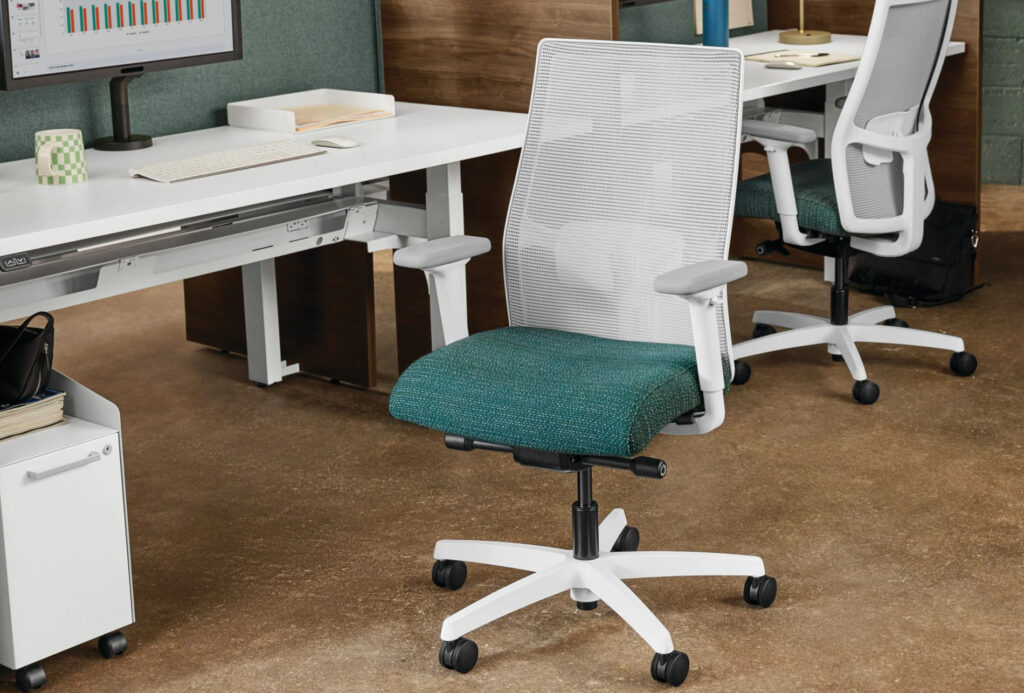
Let’s be honest: most of us will sit down at our desks, wiggle around for a couple seconds in our chairs, and consider them “properly adjusted.” But your office chair isn’t just a piece of workplace furniture—it’s your productivity partner, your posture guardian, and possibly the most underutilized piece of office furniture in your space. Whether you’re working solo or sharing flexible seating options in a collaborative workspace, knowing how to adjust your ergonomic chair properly can transform your workday from uncomfortable to productive. Here are some helpful tips on how to adjust your office chair just right.
Why Adjustable Chairs Actually Matter
Before we dive into the how-to, let’s talk about why this is important in the first place. Your body is unique, and a one-size-fits-all approach to seating is about as effective as wearing someone else’s prescription glasses. You need to adjust your chair to your liking so you’re comfortable and productive throughout the workday.
Proper chair adjustment offers plenty of serious benefits, such as:
- Reduced back and neck pain
- Improved circulation because your legs aren’t dangling like you’re a kid at the dinner table
- Better focus and improved productivity since you’re not constantly shifting around trying to get comfortable
- Better spinal health in the long term
The Collaborative Workspace Advantage
Of course, the benefits of adjustable chairs don’t just relate to a single employee. With hot-desking (or desk sharing) and collaborative workspace designs being offered in today’s hybrid offices, office chairs need to be adaptable to all the people in a workspace.
Sarah from accounting is 5’2″. Mike from sales is 6’4″. The available seating options need to work for both of them, so they can both be as productive as possible. This is where adjustable workplace furniture shines, turning shared spaces from “tolerable” into “totally functional.”
Modern furniture configurator tools have made it easier than ever to plan flexible seating options that work for diverse teams. But even the most premium piece of office furniture won’t be of much help if nobody knows how to adjust it properly.
How to Adjust an Ergonomic Chair: The Step-by-Step Guide
Let’s break it down, lever by lever, with a more detailed look at each step and why they matter.
Step 1: Nail Your Seat Height
This is the foundation of a comfortable seating setup, so start here. Your feet should be flat on the floor (or footrest), with your thighs parallel to the ground and knees at roughly a 90-degree angle.
How to Do It: Look for the lever under the right side of your seat. Lift it while standing slightly to raise the seat or lift it while seated to lower it. Most pneumatic chairs will drop quickly when weighted, so be careful and ease into it.
The Test: Slide your fingers under your thigh at the front edge of the seat. You should be able to slip them under easily without too much pressure. If your fingers get squished, your chair is too low. If there’s a Grand Canyon’s worth of space, it’s too high.
Step 2: Set Your Seat Depth
Many people skip this adjustment, but it’s crucial for proper support. There should be about 2-4 inches (roughly a fist-width) between the back of your knees and the front edge of the seat.
How to Do It: Some chairs have a lever or button under the front of the seat that lets you slide the seat pan forward or backward. Others might have a mechanism under the seat near the backrest.
Why It Matters: Too deep, and you’re perched on the edge. Too shallow, and you’re cutting off circulation to your legs. Neither is conducive to crushing your to-do list.
Step 3: Adjust Your Backrest Height
Your chair’s backrest has one job: support your lumbar spine. The backrest’s lumbar support should align with the natural curve of your lower back, typically at belt level.
How to Do It: Many ergonomic chairs have a knob or lever on the back of the chair that lets you move the backrest up or down. Some also let you adjust the lumbar support depth, pushing it forward or back.
Pro Tip: Your lower back should feel gently supported, not aggressively shoved forward. Think “friendly hug” not “bear squeeze.”
Step 4: Dial in Your Backrest Angle
This one’s more down to personal preference, but adjusting the backrest angle can help with productivity if utilized effectively. Ideally, a slight recline (100-110 degrees) takes pressure off your spine while keeping you alert and engaged.
How to Do It: Look for a knob under the seat that controls tension, or a lever that locks the backrest at specific angles. Some advanced office furniture offers infinite positions.
Step 5: Armrest Adjustment (If You Have Them)
Armrests can be your best friend or your worst enemy, depending on how they’re set. Your arms should rest comfortably with shoulders relaxed (not hunched up), and elbows at about 90 degrees when typing.
How to Do It: Most adjustable armrests have buttons on the underside or side. You can typically adjust height, and on fancier chairs, width, depth, and angle too.
When to Skip Them: If your armrests prevent you from getting close to your desk, it’s better to lower them completely or remove them (if possible) rather than sit too far back.
Step 6: Headrest
Not all chairs have a headrest, but if yours does you should use it wisely. You want your headrest set to support your head and neck when leaning back while not pushing your head forward when sitting upright.
How to Do It: Adjust the height of the headrest, so it makes contact with the back of your head (not your neck) when you recline slightly.
Quick Troubleshooting Guide
- “My chair keeps sinking!” Your pneumatic cylinder is worn out. Time for a replacement cylinder or new chair. No amount of adjustment fixes this.
- “I can’t figure out what all these levers do!” Check the manufacturer’s website for your specific chair model or look for labels underneath the seat. When in doubt, move one lever at a time and note the effect.
- “My adjustments don’t feel right.” Double-check your monitor height and keyboard position. Sometimes the problem isn’t the chair—it’s everything else on your desk.
- “The chair is adjusted, but I’m still uncomfortable.” Take breaks! Even the most perfectly adjusted office furniture won’t save you from the effects of sitting for 8 hours straight. Stand, stretch, and move every 30-60 minutes.
Making Adjustments Work in Shared Spaces
In collaborative workspace design with flexible seating options, the same chair might serve multiple people throughout the day. That means the same chair you used one day won’t have the same settings the following day. Here’s how to make it work:
- Take 30 Seconds to Adjust: Yes, every time. It’s like adjusting your car seat—essential, not optional. Those 30 seconds save 3 hours of discomfort later.
- Create a Quick Guide: Post adjustment guides near hot-desking areas to remind yourself and others of ideal chair settings.
- Use a Furniture Configurator for Planning: When setting up shared spaces, modern furniture configurator software can help you choose workplace furniture that’s adjustable enough for diverse teams. Look for chairs with easy-to-use mechanisms and a wide range of adjustments.
- Consider Chair Variety: Having a mix of task chairs, executive chairs, and active seating options gives people choices in collaborative environments.
The Bottom Line (Literally)
Learning how to adjust an ergonomic chair properly is a skill that pays dividends daily. Whether you’re optimizing your home office setup or navigating the hot-desking life in a collaborative workspace design, a well-adjusted chair is the foundation of comfort and productivity. So, go ahead and get your chair set up just right. Your back, your neck, and your productivity levels will thank you.
Need help finding and choosing the right office chairs for your workspace? Visit our showroom in Chantilly, VA or reach out to our Interiors by Guernsey experts for office chair solutions that work best for your specific needs.